

How a Mozambican Shop Owner Doubled Efficiency with Invoicing Software

How a Mozambican Shop Owner Doubled Efficiency with Invoicing Software
In the bustling heart of Maputo, Carlos ran a popular neighborhood shop, a "mercearia," that sold everything from fresh pão to cold drinks and daily essentials. While his sales were steady, his processes were stuck in the past. Each day was a battle against piles of paper, handwritten receipts, and the constant uncertainty of his stock levels. Calculating daily profits was a time-consuming chore, and managing his single cashier was based more on trust than on data. Carlos knew he was losing time and money, but a modern solution seemed out of reach until he discovered Jon AI Invoicing Software.
The Daily Challenges of a Manual System
Before making the switch, Carlos's daily routine was inefficient. Writing out each receipt by hand was slow, leading to queues during peak hours. He could only guess which items were running low, often resulting in running out of popular products. At the end of the day, he'd spend over an hour manually adding up sales and trying to reconcile cash, a process filled with potential errors. He had no clear idea of his actual profit per product, only a rough sense of his daily revenue.
The Transformation with Jon AI Invoicing Software
The change began when Carlos decided to try the free plan from Jon AI. The impact was immediate and profound, transforming how he managed his mercearia. Here’s how the software addressed his biggest challenges:
- From Slow Handwriting to Instant Receipts: Carlos connected the software to a simple 80mm thermal printer. Now, his cashier can generate a clear, professional sales receipt in seconds. This drastically cut down customer waiting times and improved the shopping experience.
- Real-Time Stock Control: The nightmare of guessing stock levels was over. With every sale, the inventory is updated automatically. Carlos can now see on his phone exactly how many units of any product he has in stock, in real-time. He gets alerts for low stock, allowing him to reorder before running out and losing a sale.
- Knowing the True Profit: For the first time, Carlos could see his profit, not just his sales. He could track profitability per day, per week, and even per product category like 'Bebidas' (Drinks) or 'Mercearias' (Groceries). This insight allowed him to focus on stocking more high-margin items.
- Secure Cashier Management: He set up a restricted account for his cashier. The cashier can issue receipts and manage sales, but has no access to sensitive financial data like total profits and business balances. This added a crucial layer of security and accountability.
- Business in His Pocket: Whether he was at home or at the supplier, Carlos could access all his business data from his phone. He could see live sales, check stock, and monitor profits on the go, giving him complete control even when he wasn't physically in the shop.
- Offline Mode for Uninterrupted Sales: In Mozambique, internet can sometimes be unstable. The software's offline mode was a lifesaver. Even during an internet outage, his cashier could continue making sales and printing receipts without interruption. Everything would sync automatically once the connection was restored.
AI Features:
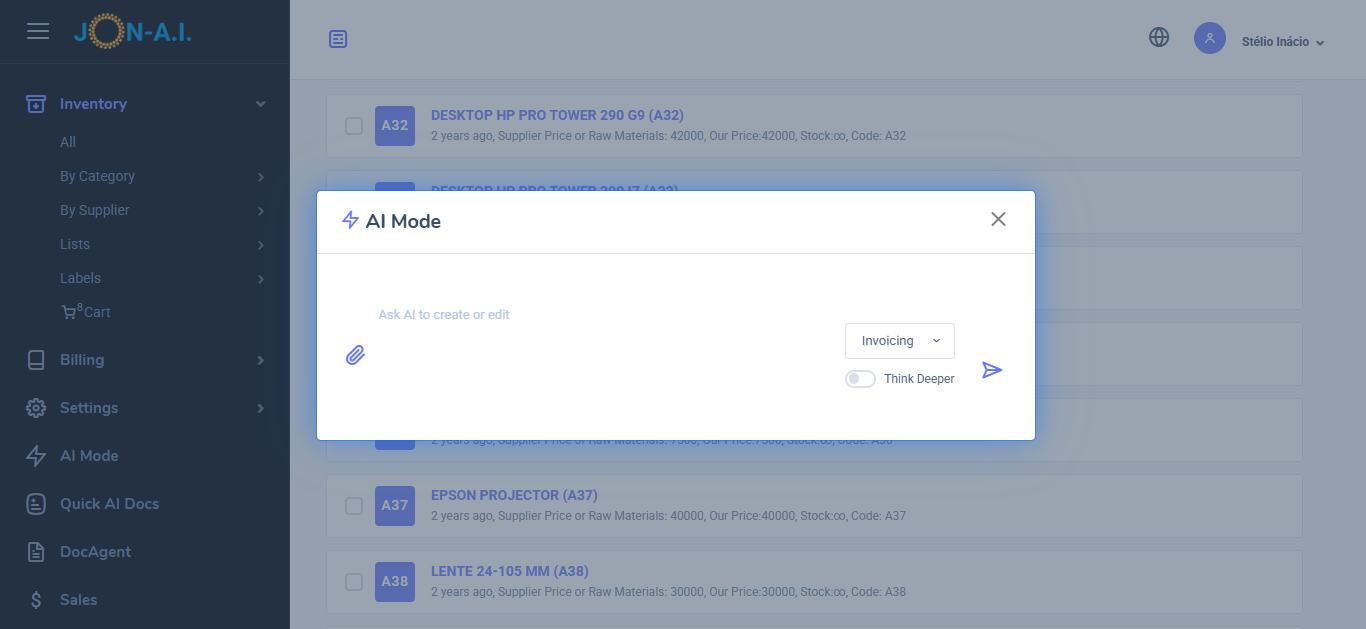
- From Request to Quote: Use AI to convert client requests into detailed quotes. Paste emails, messages, upload request for quotes (RFQs), or just ask for the quote you need to generate comprehensive quotes that include all necessary details.
- AI Quote/Invoice Editing: Use AI to edit existing quotes or invoices. Simply describe the change and ask the AI to do it, such as adding new parts, adjusting prices, or modifying descriptions. You can also do edits manually.
- Iventory Management: You can literally upload your price list, menu, or list of products or services, and the AI will add them to the inventory. The AI will extract the available stock, prices, and descriptions from the document, making it easy to manage your inventory.
- AI Small Receipts for Sales Tracking or thermal printers: To generate a small receipt just list the items sold. The AI will create a small receipt that can be printed on thermal printers or used for sales tracking. This is great for stores, take aways and more.
- AI Sales Report: Generate a sales report by simply asking the AI to do it. You can specify the date range, types of services, or products sold, and the AI will compile a detailed report for you. You can generate a sales report for last month, or for today, or for a specific period.
The Result: A More Profitable and Efficient Business
By automating his invoicing, sales tracking, and stock management, Carlos effectively doubled his operational efficiency. The hour he used to spend on manual calculations is now used to engage with customers and plan business growth. Lost sales due to out-of-stock items have been virtually eliminated, and his purchasing decisions are now driven by data, not guesswork. The professional receipts and faster service have also boosted his shop's reputation.
Carlos's story is a testament to how modern tools can revolutionize a traditional business. By embracing technology, he not only solved his daily frustrations but also paved the way for a more secure and profitable future. You too can take the first step towards modernizing your business. Start for free with our