


AI Document Writer
Automate your document creation process. Contracts, HR documents, letters, any document... briefly describe what you need, add any attachments or information, and the AI will create very consistent documents for you. But we also provide Author Mode for when you write most or all of the document. In this cases the AI simply corrects grammar, spelling, and fills in specific parts you instruct it to, without changing your words.
Free 10-credit trial · No credit card required · Export to Word or PDF in 1 click
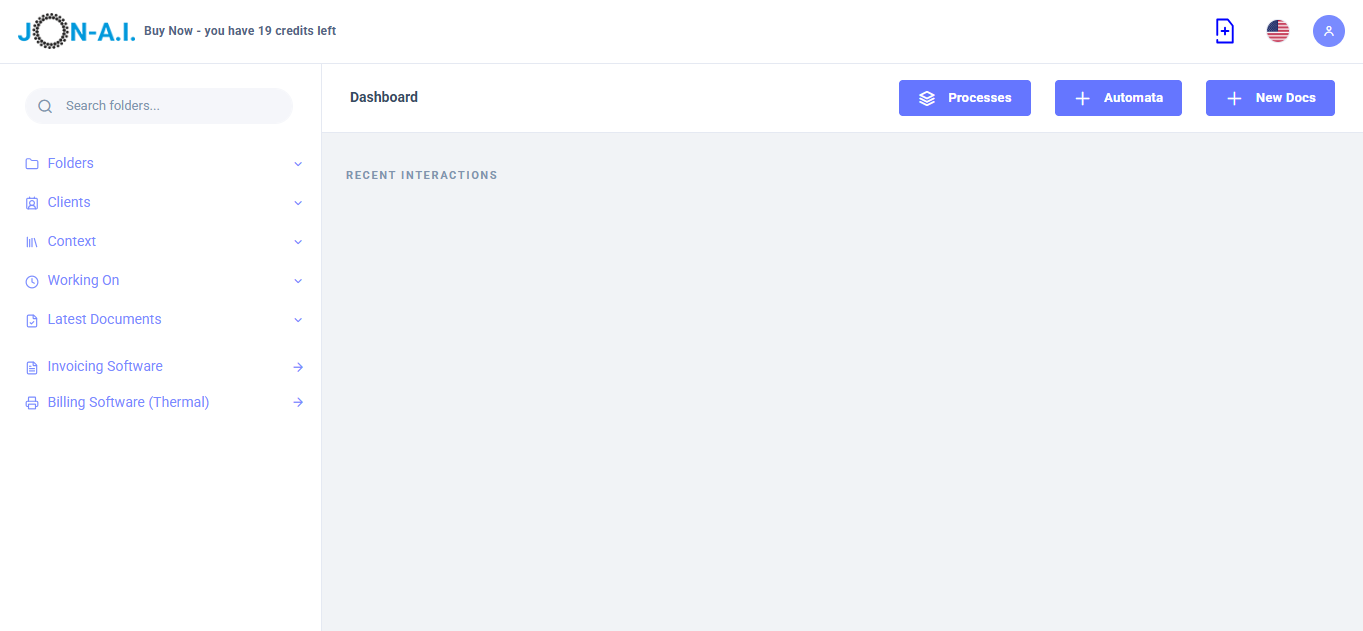
Tell it who, what and how much.
Get the finished document.
Here is exactly how it feels to use an AI document writer that was built for companies.
Say you need a work contract. You tell DocAgent the employee's name, the position, the salary and the start date. That is all. The contract is written, complete and ready to read, sign and file.
A week later you hire someone else. You give DocAgent the details of the new employee and the second contract is done in the same few seconds. And here is the part that matters to every owner and every HR desk: both contracts carry the same clauses and the same structure. Nothing was forgotten, nothing was rewritten differently by someone in a hurry.
The DocAgent Templating Engine
It works quietly in the background of every document you write, and it is the reason your documents are consistent. The contract for your fiftieth employee reads just like the one for your first, no matter who in your company wrote it.
Employment Contract
Employee: Ana Matsinhe
Position: Delivery Driver
Monthly salary: USD 640 Start date: 3 November 2026
1. Duties. The Employee shall perform the duties of the position stated above, in good faith and in line with company procedures.
2. Remuneration. The Employee shall be paid the monthly salary stated above, no later than the fifth working day of each month.
3. Confidentiality. The Employee shall keep confidential all company and client information, during and after employment.
Same structure
Employment Contract
Employee: Pedro Langa
Position: Dispatch Coordinator
Monthly salary: USD 830 Start date: 17 November 2026
1. Duties. The Employee shall perform the duties of the position stated above, in good faith and in line with company procedures.
2. Remuneration. The Employee shall be paid the monthly salary stated above, no later than the fifth working day of each month.
3. Confidentiality. The Employee shall keep confidential all company and client information, during and after employment.
Only the highlighted details change. Everything else stays exactly as your company wants it.
The HR requests that never stop
Employees ask HR all the time for an income declaration to open a bank account, rent a flat or apply for a visa. It is a standard document: only the name, the position and, when needed, the salary change. With DocAgent, HR produces it in seconds, every time the same.
Agreements for every new client
A water supplier signing offices every week, a logistics company hiring subcontractors, a clinic bringing in a new specialist: the liability and payment clauses must be identical every time. You provide the client and the numbers, DocAgent provides the agreement.
Operational paperwork on autopilot
Purchase orders, delivery notes, job orders, quotations, request for quotes. The documents that keep a company moving are written from a few lines of information, and they look like they all came from the same careful hand.
A full document editor—just like Word or Google Docs.
If your team knows how to use Microsoft Word or Google Docs, they already know how to use DocAgent. It has every formatting, layout, table, and page tool a normal editor must have—with one-click AI and library controls built right in.
MASTER COMMERCIAL SUPPLY AGREEMENT
This Commercial Supply Agreement is entered into and made effective as of 30 October 2026, with full justified paragraph alignment, custom typography, embedded corporate logos, structured pricing tables, and automatic page numbering—edited directly on the page just like Microsoft Word or Google Docs.
Write a document yourself and click Save, or click AI to send a quick prompt (or your own full draft, which automatically enters Author Mode to fix grammar, spelling, and follow your inline instructions). Use the Author Mode switch whenever you want to force Author Mode manually.
Fonts, Sizes & Styling
Choose font families, exact point sizes, headings, bold, italic, underline, strikethrough, superscript, subscript, text colors, and highlights.
Alignment Including Justify
Align text left, center, right, or full justify for formal contracts and official letters, complete with line spacing, lists, and indentation.
Tables & Structured Data
Insert and edit multi-column tables, schedules, budgets, and itemized pricing grids right inside your document page.
Images, Logos & Page Numbers
Place company logos, stamps, signatures, and images, and add automatic page numbers, headers, and document outlines.
The only difference from a normal editor: 5 buttons that connect your page to AI.
Everything else works exactly like the word processor your employees have used for years. Only these dedicated controls set DocAgent apart:
1. The “AI” Button on the Top Bar
Press the AI button to send your quick prompts and attachments to the AI and get a finalized document back in the editor. And when you write the majority of the document yourself, the system detects it and automatically enters Author Mode—so pressing AI keeps your exact words, fixes grammar and spelling, follows any instructions you left inside the text, and finalizes the document.
2. The “Save” Button on the Top Bar
Writing a document entirely by hand or refining an existing draft? Click Save at any moment to store your work just like a traditional word processor—without ever sending anything to the AI.
3. The “Author Mode” Switch on the Top Bar
Although DocAgent automatically detects when you have written most of a document, ticking the Author Mode switch on the top bar lets you explicitly force the system into Author Mode whenever you want.
4. Library Search & File Attachment Buttons
At the bottom of the editor sit two extra buttons: the Search icon to pull in files from your Company Library, and the Attachment icon to attach external files to your document so you can enrich your command to the AI with real source material.
A built-in Library system you won't find in any other AI tool.
Stop uploading the same client, patient, or company files every single time you need a new document. Upload once, search right inside the editor, and issue as many different documents as your business needs.
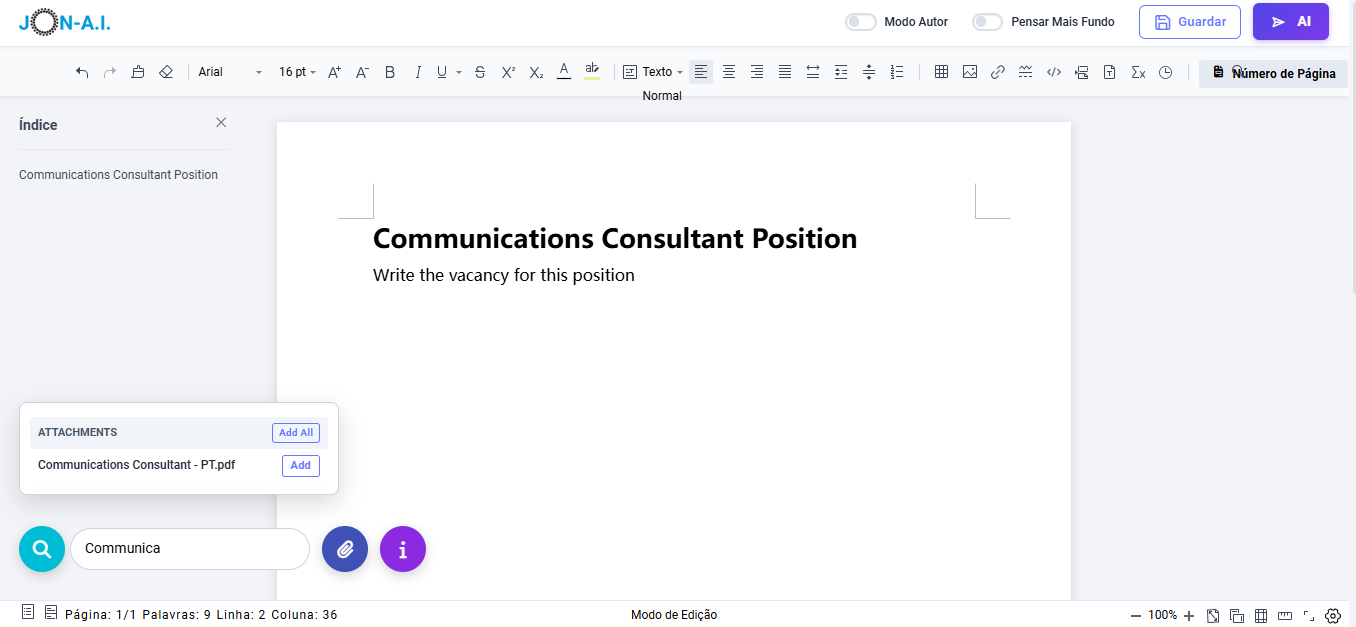
Click the Search Icon Inside the Editor
Whether you are writing a quick prompt in Full AI Mode or drafting your own text in Author Mode, the turquoise search icon sits right inside your editor.
Access Any Document Uploaded Before
Type a client's name, a policy title, or a file keyword. DocAgent immediately surfaces the documents you or your colleagues uploaded in the past, ready to attach in one click.
DocAgent also curates a library of essential reference material, like Labor Laws, Tax Codes, and National Statistics, that you can search and attach when necessary.
Issue Endless New Documents from One Upload
If your business works with recurring clients, you only upload a client's information once. From that single stored upload, your team can generate dozens of completely different documents over months or years.
Medical Clinics & Patient Records
When a patient visits a clinic, reception or the doctor uploads the patient's intake file, clinical history, or insurance card just once. On future visits, they select that patient via the editor search icon and issue completely different documents without re-uploading a thing:
Logistics & Recurring Shippers
A logistics or trucking company uploads a recurring corporate client's company profile, customs registration, or master rate sheet once. Whenever a new shipment moves, operations searches the client in the editor and issues:
HR, Legal & Corporate Clients
Upload an employee's ID and contract details, or a B2B client's corporate registry, once into the system. Whenever HR or account managers need a new official document for that person or company, they pull the record from search and issue:
Precision Printing: print, sign, and send PDFs without a single layout problem.
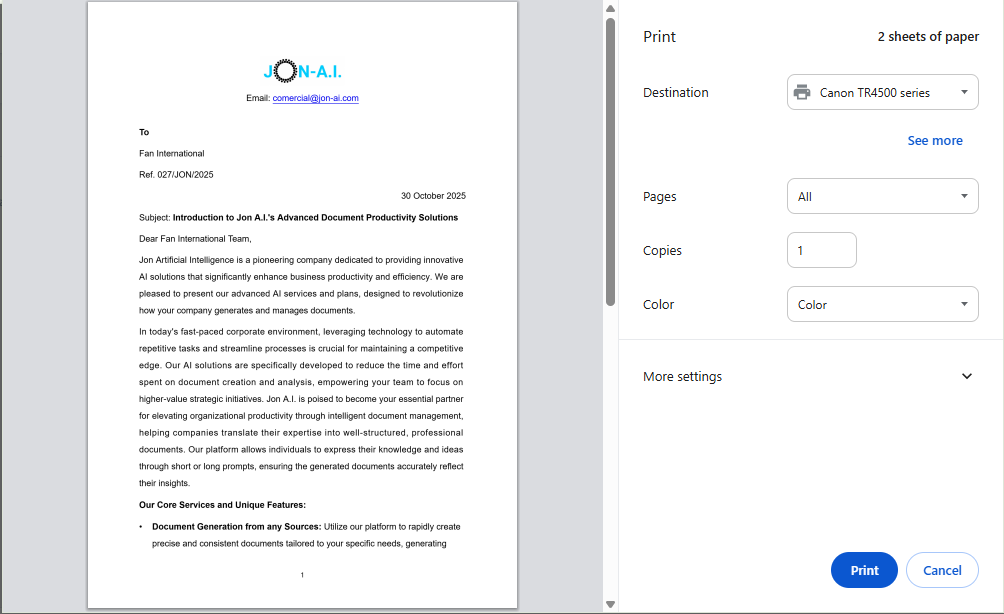
What you see on the screen is exactly what comes out of your printer. Export clean PDFs, include signatures for official documents, and print directly from your browser just like your office has always done.
True WYSIWYG Page Editor
DocAgent is a real page-based What You See Is What You Get editor. Margins, corporate letterheads, logos, justified paragraphs, tables, and page breaks on your monitor match physical paper 1-to-1.
1-Click PDF Export & Signatures for Official Documents
Export any document to a polished PDF (or Word file) in a single click, complete with signatures and signature blocks—so official letters, contracts, and declarations can be signed and sent out to clients, banks, or authorities immediately.
Print Exactly Like You Always Have
Press print and send your document straight to any office printer without broken margins, weird chat formatting, or cut-off tables. It works effortlessly, exactly as printing in an office is expected to work.
How Jon AI DocAgent differs from general AI chatbots.
A chatbot is built for open-ended conversation. Jon AI DocAgent is built specifically for companies to produce, file, collaborate on, and protect business documents—any type of document—at half the cost.
| Capability | Jon AI DocAgent | General AI Chatbots |
|---|---|---|
| Purpose |
Specialized for Documents
Built to produce documents—any type of document. Every feature is engineered to write, format, edit, sign, print, and organize finished company documents.
|
General-Purpose
Built for general web research, casual Q&A, image generation, documents, and open-ended conversation.
|
| IP Protection |
Signed Legal Contract
Besides our Terms of Service and Privacy Statement, Jon AI provides a written, legally binding document (counter-signed corporate guarantee) protecting your intellectual property and data.
|
Standard Click-Through
Only provide generic online Terms of Service and a Privacy Statement.
|
| Document Filing |
Automated Filing Cabinet
Dedicated automated document filing that automatically organizes every document by document type—contracts go into Contracts, commercial letters go into Commercial Letters—and also organizes by client and date.
|
Unorganized Pile
Have a basic media library and document library where everything is piled together. To find a specific document later, you have to search through a never-ending chat history.
|
| Collaboration |
Built for Teams & Departments
Department-level collaboration: colleagues share documents within their department, leave inline review comments, and draw from one centralized Company Library.
|
Isolated Chats
Designed around individual chat threads, forcing employees to copy, paste, and re-format text across emails and external editors.
|
| Business Continuity & Institutional Memory |
Full Operational Continuity
Zero knowledge loss when an employee leaves. An employee in the HR department automatically shares the documents they produce with authorized colleagues in the same department—so when an employee leaves the company, all of their documents remain neatly organized and immediately accessible.
|
Lost in Personal Chats
Chatbot accounts mix personal prompts and messy drafts. Even if you recover the chat history of a departing employee, it is nearly impossible to extract structured value or finished company documents from it.
|
| Pricing |
$100 a year
Half the price, 100% specialized to get real office document work done across your entire company.
|
$200 a year
Twice the cost for a very general conversational tool that still leaves formatting, filing, and continuity up to you.
|
How companies use DocAgent
Now that you have seen what DocAgent can do, here is what it looks like inside real kinds of businesses: what they needed, and what they got. If your company has the same needs, this is for you.
Click the big arrows, swipe, or use the left and right arrow keys to browse all 20 stories.
These stories are composite examples that show how teams in each industry use DocAgent.
Recognize your own company in one of them?
Start writing freeOne simple plan. Complete access.
Everything you and your team need to write, collaborate and finish documents with AI, at one straightforward rate.
Full DocAgent Suite
Unrestricted access to the AI Document Writer, Author Mode, the online editor, the Company Library and team collaboration.
- AI Document Writer. Finished contracts, HR declarations, purchase orders and every business document.
- Templating Engine. Consistent clauses and structure across your whole company.
- Author Mode. Polishes and expands your drafts without changing your words.
- Full online editor with auto-save. Write manually, switch modes anytime, or boost a draft on demand.
- Company Library, attachments and team comments.
- 1-click export to Word and PDF, with precision printing.
- Signed data privacy guarantee included.
100% total privacy, backed by a signed legal agreement
We know your company's contracts, financials, strategies and internal documents are strictly confidential. Unlike public AI tools, we never train our AI models on your data, never read your files, and never share or use your information in any way.
Put it in writing: every company account receives a counter-signed Zero-Data-Training Guarantee & Corporate Non-Disclosure / Data Processing Agreement (DPA), giving your legal and compliance teams binding written proof that your intellectual property remains 100% yours.
AI writes the routine. You write what matters.
Say you need an AI that writes documents for you. DocAgent does exactly that: contracts, declarations, orders and letters, finished and consistent, in the hands of every desk in your company.
But having an AI write for you is sometimes simply not acceptable. It would be crazy for a termination letter, or for a note congratulating an employee who just had twins. So DocAgent also gives you Author Mode, in the very same editor, with nothing different to do.
It starts with a switch, or by itself when you write a large portion of a document. The editor keeps your words, does not change them, and follows your instructions.
In the hands of every one of your employees, this editor becomes a productivity machine that can handle all your document needs.